
Free
$0free forever
- 5 offers a month
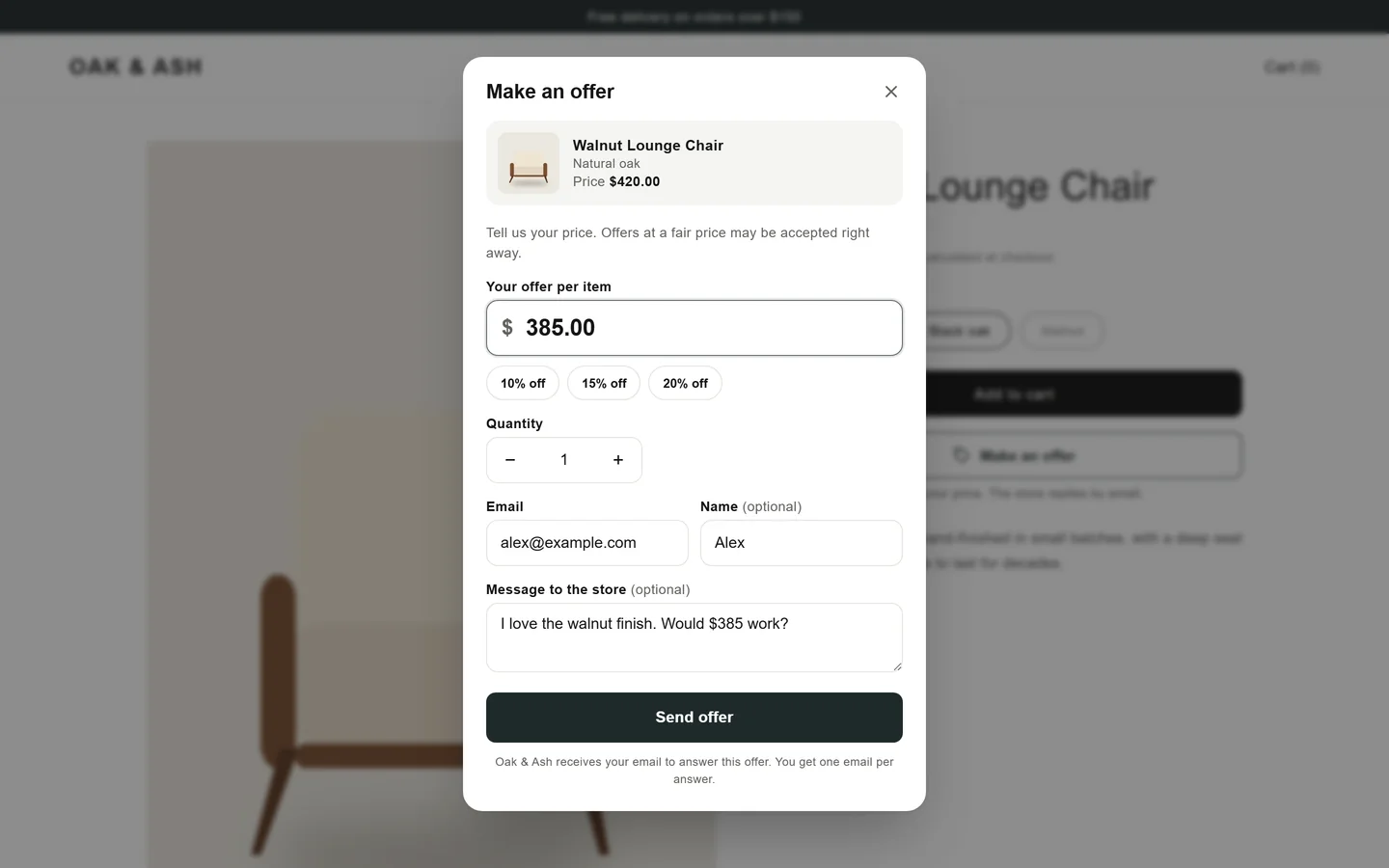
- Make an offer button and modal
- Auto-accept and auto-decline rules
- Counter-offers
- Single-use discount codes with expiry
- Emails to shoppers
- Analytics

Make an Offer
by Kavio Labs · Pricing and quotes
A "Make an offer" button on your product pages turns hesitant visitors into conversations. Your rules accept good offers on the spot, decline low ones, and leave the rest to you: accept, counter or decline in one click.
Made for
Why merchants install it
Shoppers who would leave over the price tell you what they would pay instead. You decide which offers to take.
Floors per store, collection or product. Offers below your floor are declined at once, good ones are accepted automatically.
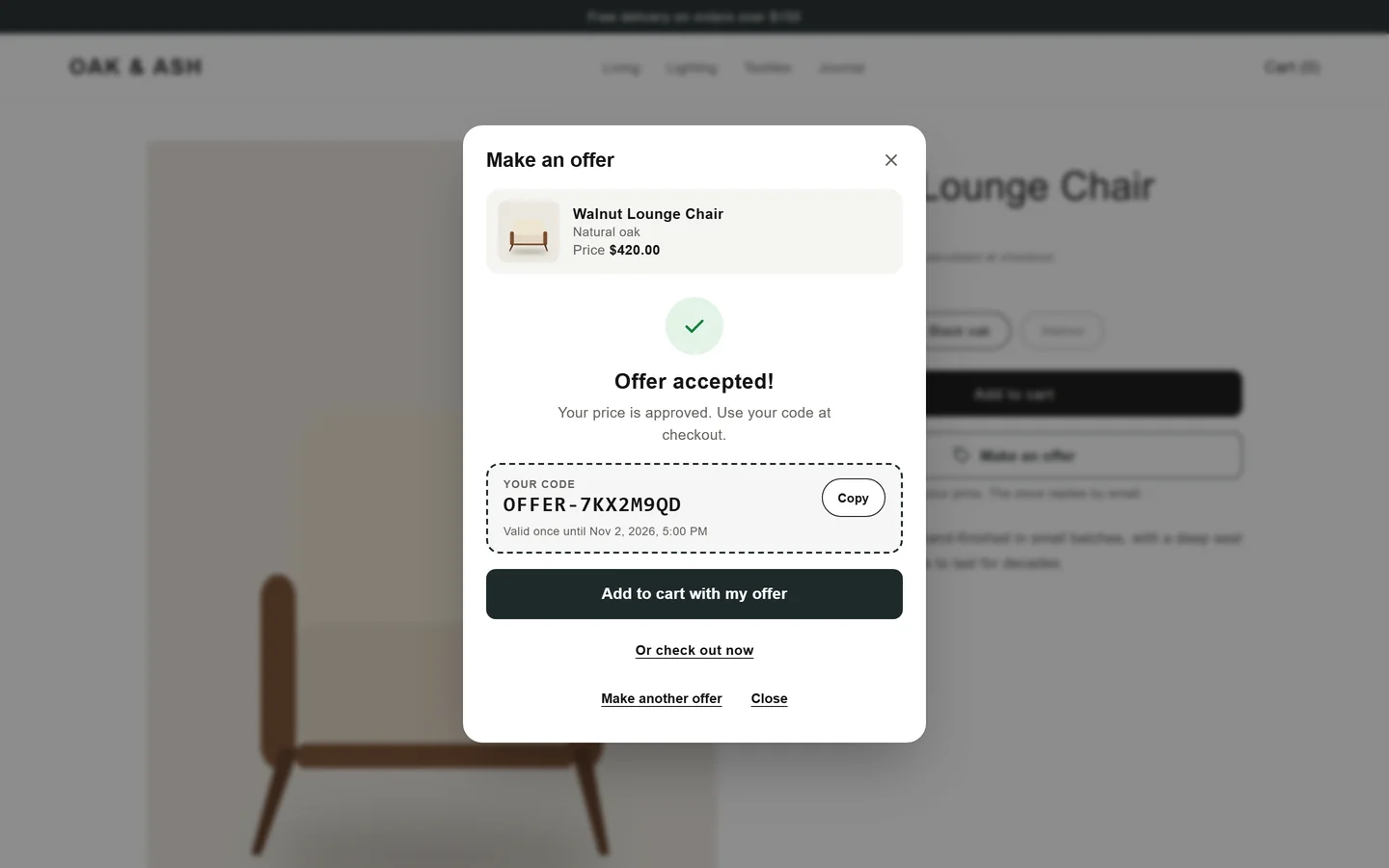
Every accepted offer becomes a single-use discount code for that variant and quantity, with an expiry date.
Features
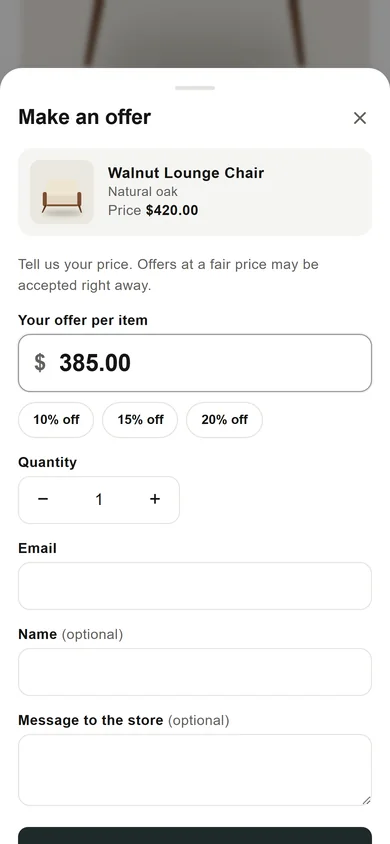
A theme block for the product page with a modern offer dialog. Works with Online Store 2.0 themes such as Dawn.
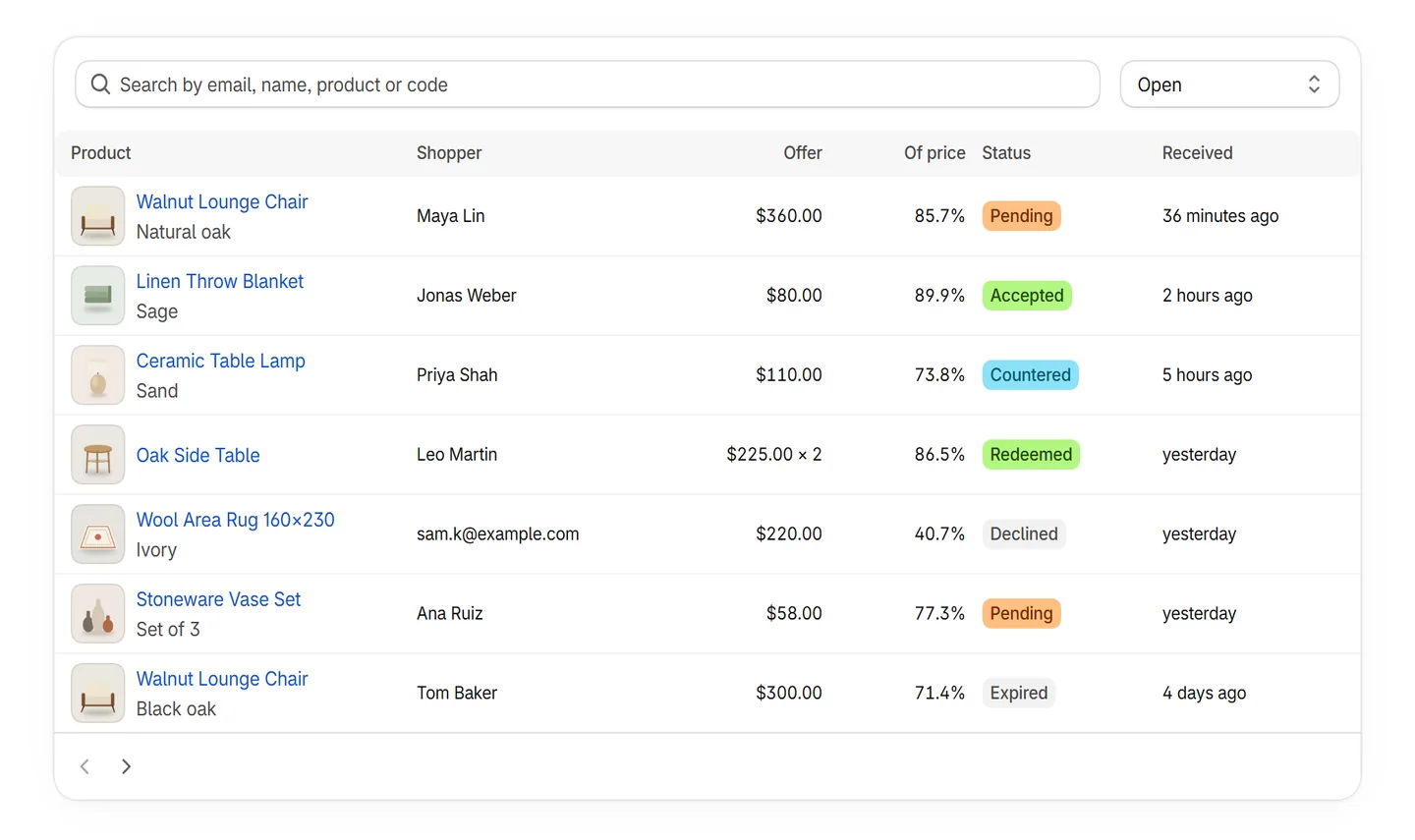
Accept at or above a percentage of the price, decline below another one. For the whole store, a collection or a product.
Answer with your own price and a message. The shopper accepts it on a page in your store.
Locked to the variant and quantity of the offer, valid once, with the expiry you choose. Unused codes are cleaned up.
Received, accepted, counter-offer and declined emails in your store's name. Replies go to you. Custom texts on paid plans.
Every offer with the shopper's message, the share of the price and the rule that applied. Accept, counter or decline in one click.
Offers, acceptance rate, codes used and revenue from offers, per day and per product.
One small script from Shopify's CDN. Product pages make no calls to our server; only a sent offer does.
How it works
Click "Add button to theme" in the app and save. The block sits under your Add to cart button.
Choose when offers are accepted or declined automatically, and turn offers off where you never discount.
Accept, counter or decline in the app. The shopper gets an email with a single-use code and a checkout link.
See acceptance rate, codes used and revenue from offers, and tune your rules.
Screenshots
The real storefront block and admin pages of the app, shown with demo products.
Pricing
Prices in USD, billed monthly on your Shopify invoice. Paid plans start with a 14-day free trial. Change or cancel your plan any time in the app.
$0free forever
$9.99per month
14-day free trial
$24.99per month
14-day free trial
With a discount code. When an offer is accepted, the app creates a single-use code for exactly that variant and quantity and emails it with a checkout link that applies it. The shopper pays through your normal checkout.
No. Each code works once, only for the variant and quantity of the offer, and only until it expires. It does not combine with other product or order discounts.
Every offer a shopper sends, including offers your rules decline. On the Free plan the button hides after the 5th offer of the month and comes back on the 1st. Counter-offers and your replies never count.
Yes. The auto-decline limit is private by default; you can choose to show "Offers start at" in the form.
To shoppers: offer received, accepted (with the code), counter-offer and declined. To you: a notice when an offer waits for your answer. Emails go out in your store's name and replies go to your store's contact email.
With Online Store 2.0 themes, such as Dawn and other free Shopify themes, through an app block on the product page. The dialog follows the variant the shopper picked.
Shopify removes the app block. Our server deletes the access token at once and every offer of your store 48 hours later. Discount codes that were already sent stay in your Shopify discounts until they expire.
Start on the free plan. Paid plans are billed by Shopify. Privacy policy · Support