
Free
$0free forever
- Up to 300 fitment rows
- Year / make / model search block
- Fits / does not fit badge and fitment table
- Universal parts
- My Garage (saved vehicles)
- Results on your own collection pages
- CSV import with preview, and export
Vehicle Fitment & YMM Search
by Kavio Labs · Search and filters
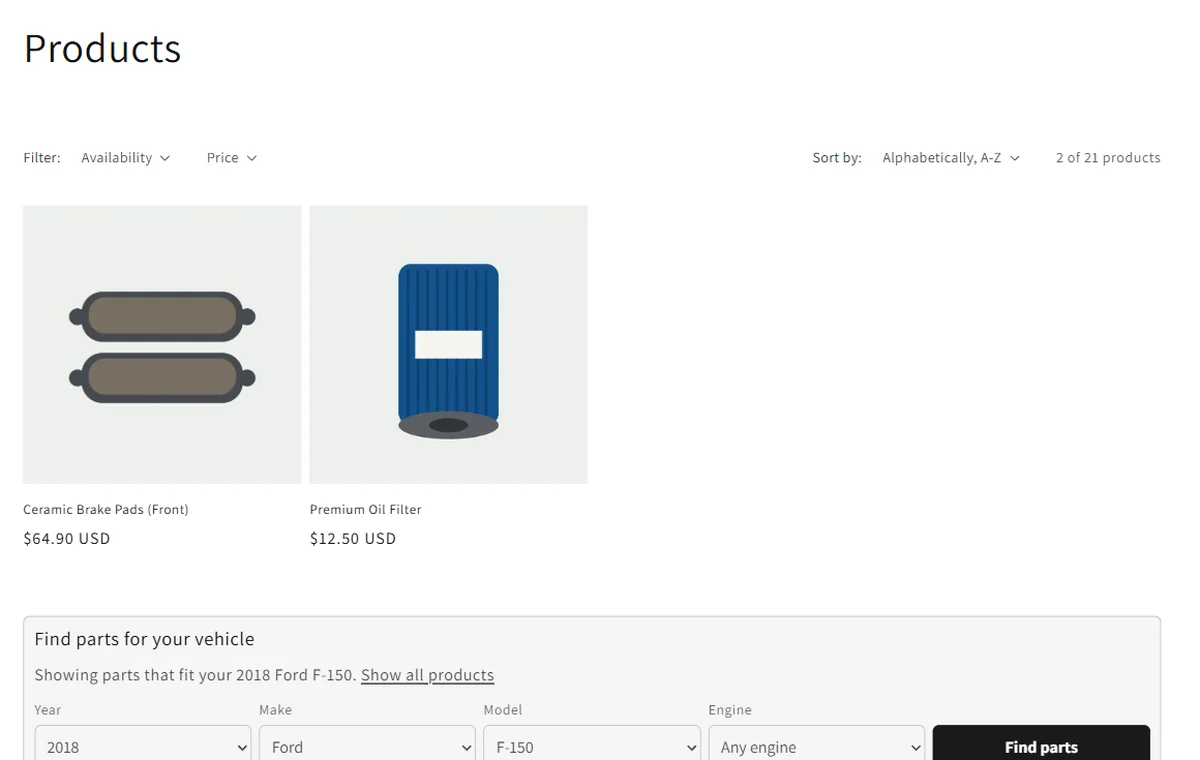
Shoppers pick year, make and model and land on your own collection page with only the parts that fit. Every product page answers the one question that matters: does it fit my vehicle?
Made for
Why merchants install it
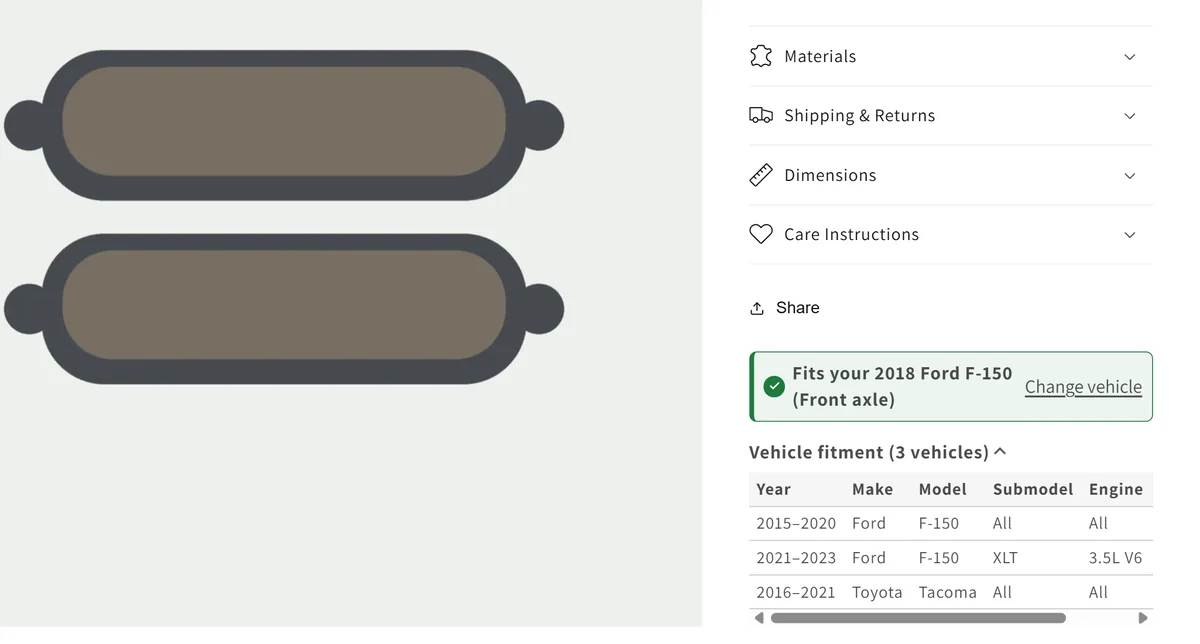
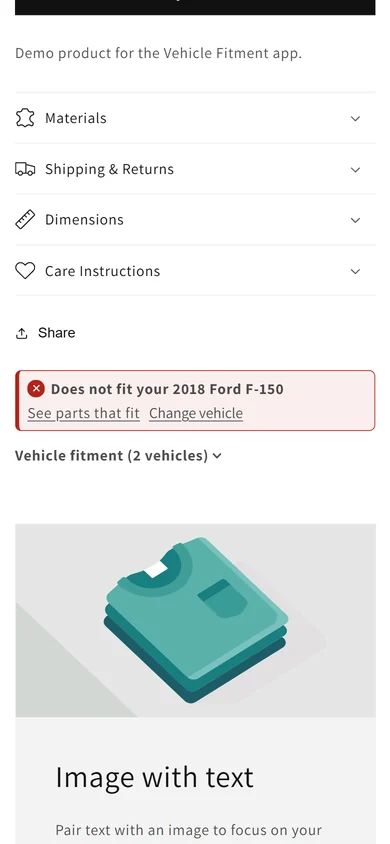
A clear "Fits your 2018 Ford F-150" or "Does not fit" badge and a fitment table on every product page, so shoppers buy the right part the first time.
Results are your theme's own collection pages, with its filters, sorting and pagination. Nothing to restyle, nothing extra to load.
Fitment lives in your store as product tags and metafields. Import and export a CSV at any time; no lock-in.
Features
A theme block for the home page, collections or any section, with optional submodel and engine.
Checks the shopper's vehicle on the product page, including submodel and engine, with your fitment notes.
Shoppers save up to 10 vehicles on their device and switch with one tap. No account needed.
Every vehicle a part fits, on the product page, readable by search engines.
Mark parts that fit every vehicle; they show a Universal fit badge.
Year ranges, handles or SKUs. See every error and the row count before anything changes; add or replace.
Point the app at your supplier's CSV link and it imports the changes every night.
One small script from Shopify's CDN, no calls to outside servers, results served by Shopify.
How it works
Upload a CSV with product, year or year range, make and model. Check the preview, then import.
Click "Add search block" in the app and save the theme. Put it on the home page and on collections.
Click "Add fit badge" and place it under the price on the product page.
Edit single products in the app, import new files, or let the Pro feed import your supplier's file every night.
Screenshots
Captured on our development store with Shopify's Dawn theme.

Pricing
Prices in USD, billed monthly on your Shopify invoice. Paid plans start with a 14-day free trial. Change or cancel your plan any time in the app.
$0free forever
$19per month
14-day free trial
$49per month
14-day free trial
From Shopify. The app tags each product with the vehicles it fits, and the search opens your collection page filtered by that tag. Your theme shows the results with its own design, filters and sorting.
One row per product and vehicle: product handle (or SKU or product ID), year or a year range such as 2015-2020, make and model. Submodel, engine, notes and a universal column are optional. A sample file is in the docs.
One product and one vehicle line of your file. A year range counts once, so "2015-2020 Ford F-150" for one product is one row.
No. You import the fitment you already have from your suppliers or your own catalogue. The app checks it and shows each error before anything changes.
Yes, on live stores too: up to 300 fitment rows with every storefront feature. Paid plans add rows; Pro adds the daily supplier feed.
The kvf- product tags stay on your products, so links to your collection pages keep working. Shopify removes the app blocks and the app's own fitment metafields. Export your CSV first if you want a copy. Our server deletes your store's data after uninstall.
The storefront part is one small script and stylesheet from Shopify's CDN. It makes no calls to our server.
Start on the free plan. Paid plans are billed by Shopify. Privacy policy · Support