
Free
$0free forever
- Up to 5 products sold by measure
- All units: weight, length, area, volume
- Measure input block with live price
- Minimum and maximum checks at checkout

Sell by Measure
by Kavio Labs · Product page
Shoppers type the exact amount they need, see the price as they type and check out with exactly that amount. Cart, checkout, orders and stock all agree.
Made for
Why merchants install it
Sell 2.5 m of fabric or 1.25 kg of coffee instead of forcing shoppers into fixed packs or a long list of variants.
The price shoppers see on the product page is the price Shopify charges. No draft orders, no hidden discounts, no price overrides.
Stock is counted in your steps, so 50 m of fabric sold in 10 cm steps is 500 in stock and never oversells.
Features
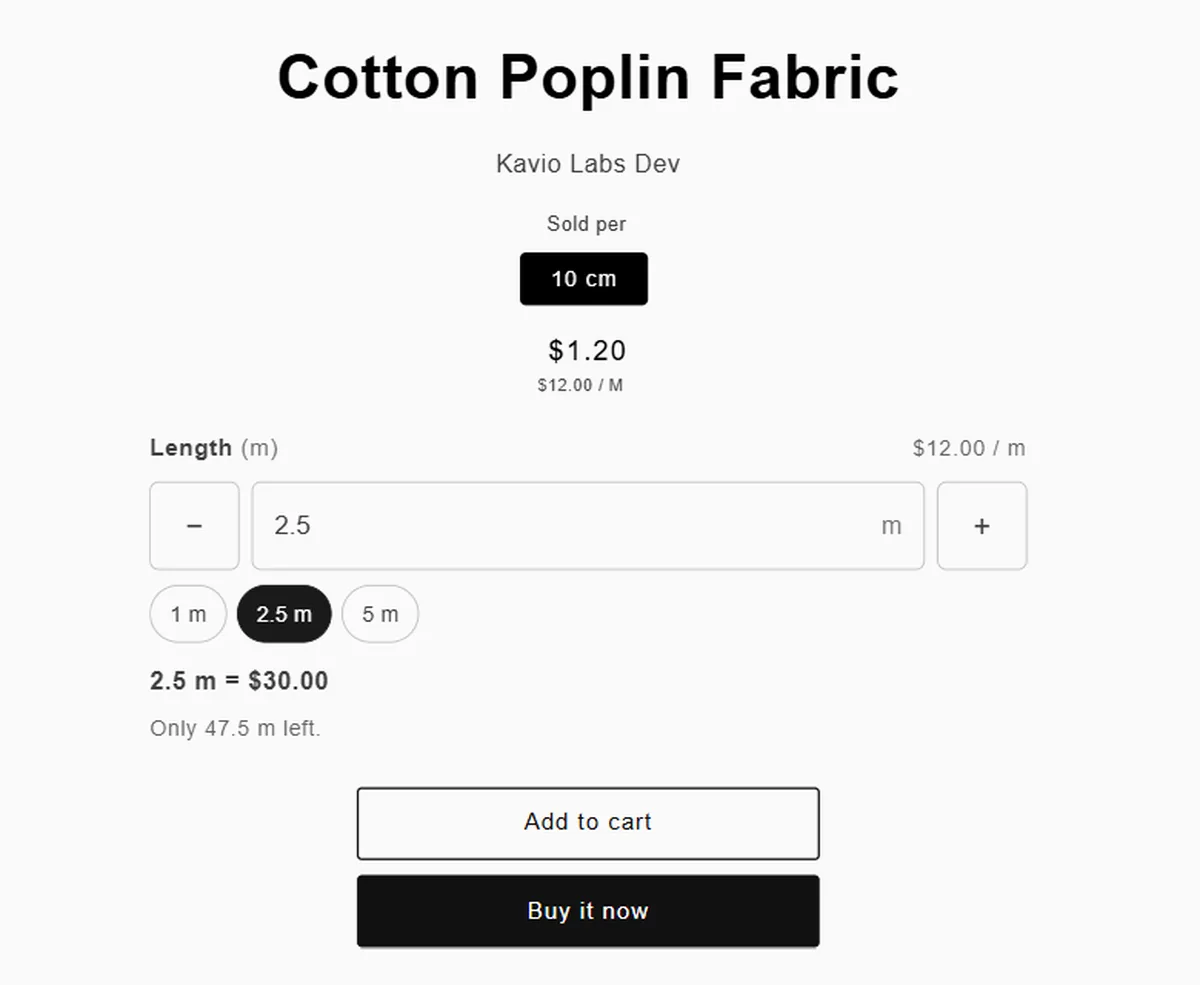
A theme block replaces the quantity selector on products sold by measure: "2.5 m = $30.00" as the shopper types.
kg, g, lb, oz, m, cm, mm, yd, ft, in, m², sq ft, L, ml, m³, gal and fl oz.
Smallest step, minimum, maximum, default amount and quick amount buttons such as 1, 2.5 and 5.
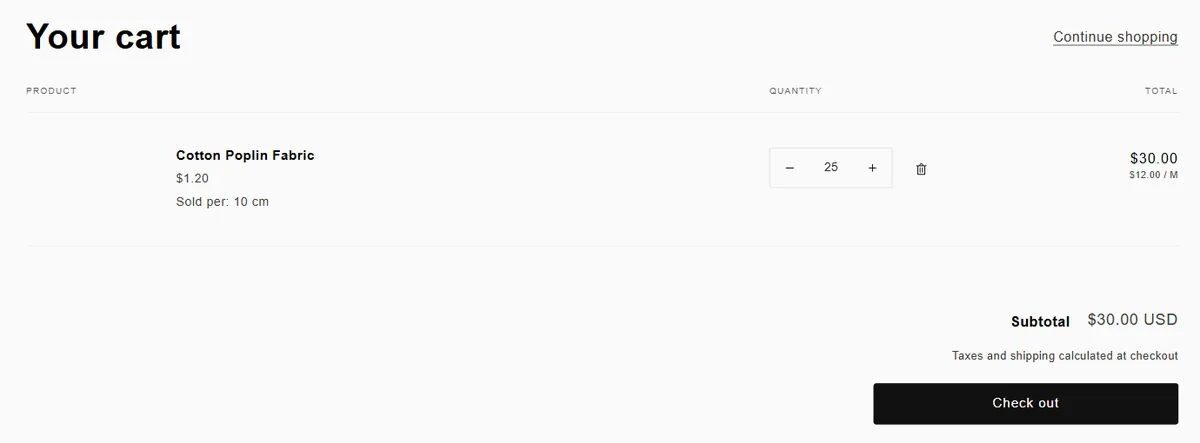
The app turns on Shopify's own unit price, so "$12.00 / m" shows in the cart, at checkout and on the order.
A checkout rule refuses amounts below the minimum or above the maximum, even if the cart was edited by hand.
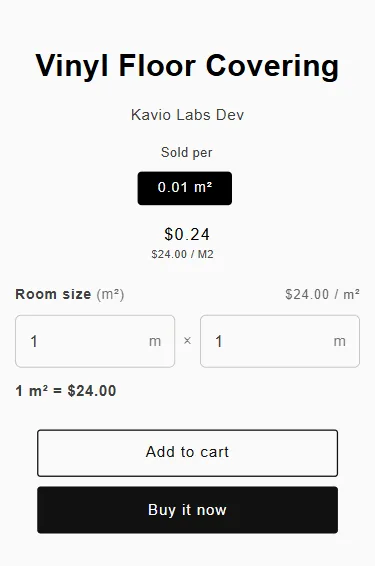
For flooring, glass or turf: shoppers enter the room size and the app sells the exact area.
The block loads from Shopify's CDN as a theme app extension. Our server is never in the shopper's path.
No Shopify Plus features. Works in Online Store 2.0 themes such as Dawn and Horizon.
How it works
In the app choose a product, the unit (for example metres), the step (0.1 m) and the price per unit ($12.00 / m).
Click "Open theme editor" and add the Measure input block to your product template. Save.
One click adds the checkout rule that enforces your minimum and maximum amounts.
A shopper asks for 2.5 m: the cart holds 25 steps of 10 cm and Shopify charges 25 × $1.20 = $30.00.
Screenshots
Captured on our development store with Shopify's Dawn theme.
Pricing
Prices in USD, billed monthly on your Shopify invoice. Paid plans start with a 14-day free trial. Change or cancel your plan any time in the app.
$0free forever
$9per month
14-day free trial
$19per month
14-day free trial
Yes, on every plan. The app uses no Shopify Plus features.
The product is sold in steps, for example 10 cm. 25 steps are 2.5 m. The variant name ("10 cm") and the unit price ($12.00 / m) make this clear in the cart, at checkout and on the order.
Yes. The cart quantity is the number of steps, so any change is still an exact amount. The checkout check enforces your minimum and maximum.
Yes. Stock is counted in steps (50 m with a 10 cm step is 500 in stock). When overselling is off, shoppers cannot ask for more than is left.
Yes. Shopify prices each step like any other item, so all Shopify features work as usual.
The block leaves your theme and the checkout check turns off. Variant prices and unit prices stay as normal Shopify prices.
Online Store 2.0 themes that support app blocks on the product page, such as Dawn and Horizon.
Start on the free plan. Paid plans are billed by Shopify. Privacy policy · Support